Create Plot
fig = plt.figure(figsize=[6, 6])
fig, axes = plt.subplots(nrows=2, ncols=2)
Style Setting
import scienceplots
plt.style.use(['science', 'notebook', 'grid', 'no-latex'])

plt.rcParams.update({'legend.fontsize':'medium', 'axes.labelsize': 'medium', 'axes.titlesize':'large',
                     'xtick.labelsize': 'medium', 'ytick.labelsize': 'medium',
                     'font.family': ['DejaVu Sans', 'NanumGothic']
                     })
with plt.style.context(['default']):
plt.plot()
plt.show()Plotting
1D Data
ax.plot(x, y, '.-k', alpha=0.4, c='k', linewidth=4.0, ls='solid')
ax.scatter(x, y, marker='.', c=c, cmap='viridis')
ax.bar(x, y) # Vertical ractangles
ax.hbar(x, y) # Horizontal ractangles

ax.hline(y) # Horizontal line
ax.axhline(y)
ax.vline(x) # Vertical line
ax.axvline(x)
2D Data
ax.imshow(img)3D Data
_, ax = plt.subplots(figsize=(4, 4), subplot_kw=dict(projection='3d', computed_zorder=True)) # computed_zorder=False if you want to use zorder
ax.plot_surface(x, y, z, cmap='viridis', rstride=10, cstride=10)
ax.view_init(elev=30, azim=-60)
plt.show()
Vector Fields

ax.quiver(x, y, x_dir, y_dir) # 2d field of arrows
ax.streamplot(x, y, x_dir, y_dir) # Streamlines of a vector flow

# Color bar and customizations.
fig, ax = plt.subplots(figsize=(5, 4))
lw = 5*speed / speed.max()
im = ax.streamplot(X, Y, U, V, color=speed, linewidth=lw)
fig.colorbar(im.lines, ax=ax)
plt.show()

# Flow from some points
fig, ax = plt.subplots(figsize=(5, 4))
lw = 5*speed / speed.max()
starting_points = np.array([[0.5, -0.5], [0, 0.5]])
im = ax.streamplot(X, Y, U, V, color=speed, linewidth=lw, start_points=starting_points)
plt.plot(*starting_points.T, '*k', markersize=5)
fig.colorbar(im.lines, ax=ax)
plt.show()
Distributions
ax.hist(x, bins=20, density=True, histtype='step')
ax.boxplot(x)
ax.violinplot(x)
Contour Plots

# Where x, y, z are the same-sized 2d matrices.
ax.contour(x, y, z, levels=30, vmin=0, vmax=100) # plot contour line
ax.contourf(x, y, z, levels=30, vmin=0, vmax=100) # plot contour as a colored area

# contour with color bar and color label
fig, ax = plt.subplots(figsize=(5, 4))
im = ax.contour(x,y,z, levels=20)
ax.clabel(im, fontsize=10)
fig.colorbar(im, ax=ax)
plt.show()
Annotations
import matplotlib.patheffects as pe


# text with border
ax.text(x, y, 'text', c='white', fontsize=10, fontweight='bold', transform=ax.transAxes, # transAxes make x, y relative coordinates (0 ~ 1)
        bbox=dict(facecolor='w', edgecolor='k'),
        path_effects=[pe.withStroke(linewidth=2, foreground="black")])

# Annotation with an arrow
ax.annotate('text', xy=[x, y], xytext=[x_text, y_text],
            arrowprops=dict(facecolor='k', width=1, headwidth=5, headlength=5))
**
# Vertical Line
ax.avxline(x_range, color='k')
# Horizontal Line
plt.axhline(y_range, color='k')
Styles
ax.legend(loc='upper left', fontsize='small', ncols=2, framealpha=0.5, fancybox=True,
          facecolor='w', edgecolor='k',
          borderpad=0, borderaxespad=0,
          labelspacing=0, columnspacing=0)

ax.set(title='title', xlabel='x-axis', xlim=[0, 10], xscale='log', xticks=range(1, 5), xticklabels=['One', '','Three', ''])

ax.spines['Top'].set_visible(False)
ax.margins(x=0.1, y=0.1)
plt.tight_layout()
Linestyles

['-', '--', '-.', ':']
Markers
Filled Markers

['.', ',', '1', '2', '3', '4', '+', 'x', '|', '_', 1, 2, 3, 4, 5, 6, 7, 8, 9, 10, 11]
Unfilled Markers

['o', 'v', '^', '<', '>', '8', 's', 'p', '*', 'h', 'H', 'D', 'd', 'P', 'X']
cmaps
cmap_r Indicates reversed cmap.
Sequential Colormaps

['viridis', 'plasma', 'inferno', 'magma', 'cividis']

['Greys', 'Purples', 'Blues', 'Greens', 'Oranges', 'Reds', 'YlOrBr', 'YlOrRd', 'OrRd', 'PuRd', 'RdPu', 'BuPu', 'GnBu', 'PuBu', 'YlGnBu', 'PuBuGn', 'BuGn', 'YlGn']

['binary', 'gist_yarg', 'gist_gray', 'gray', 'bone', 'pink', 'spring', 'summer', 'autumn', 'winter', 'cool', 'Wistia', 'hot', 'afmhot', 'gist_heat', 'copper']
Diverging Colormaps

['PiYG', 'PRGn', 'BrBG', 'PuOr', 'RdGy', 'RdBu', 'RdYlBu', 'RdYlGn', 'Spectral', 'coolwarm', 'bwr', 'seismic']
Cyclic Colormaps

['twilight', 'twilight_shifted', 'hsv']
Qualitative (Discrete) Colormaps

['Pastel1', 'Pastel2', 'Paired', 'Accent', 'Dark2', 'Set1', 'Set2', 'Set3', 'tab10', 'tab20', 'tab20b', 'tab20c']
Save Figures
plt.show()
plt.savefig('trial.png', dpi=200, pad_inches=0.1)


fig, ax = plt.subplots()
ax.show()
fig.savefig('trial.png', dpi=200, pad_inches=0.1)
Animation
2D Plot
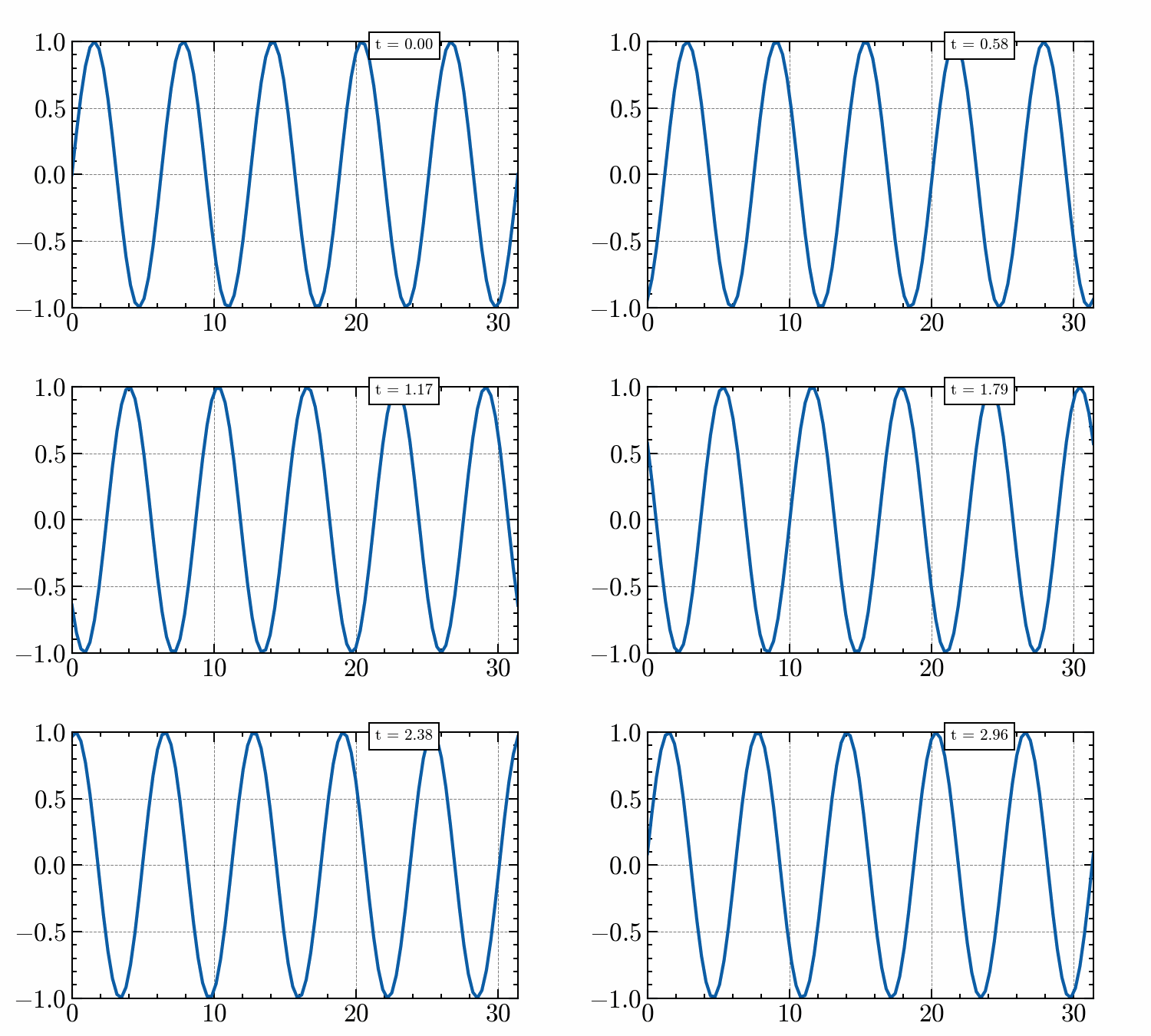
from matplotlib import animation


fig, ax = plt.subplots(figsize=(5, 3))
ln1, = plt.plot([], [])
time_txt = ax.text(0.68, 0.97, '', bbox=dict(facecolor='w', edgecolor='k'), transform=ax.transAxes)
ax.set(xlim=[0, 10 * np.pi], ylim=[-1, 1])

FPS = 30
ani_len=3
t_max = 2 * np.pi

f = lambda x, t: np.sin(x - t)
x = np.linspace(0., 10 * np.pi, 100)
def animate(i):
    time = i / FPS
    t = t_max * time/ani_len

    ln1.set_data(x, f(x, t))
    time_txt.set_text(f't = {time:.2f}')

ani = animation.FuncAnimation(fig, animate, frames=FPS*ani_len)
ani.save('../out/ani.gif', writer='pillow', fps=FPS, dpi=100)

plt.show()
Rotating 3D Plot
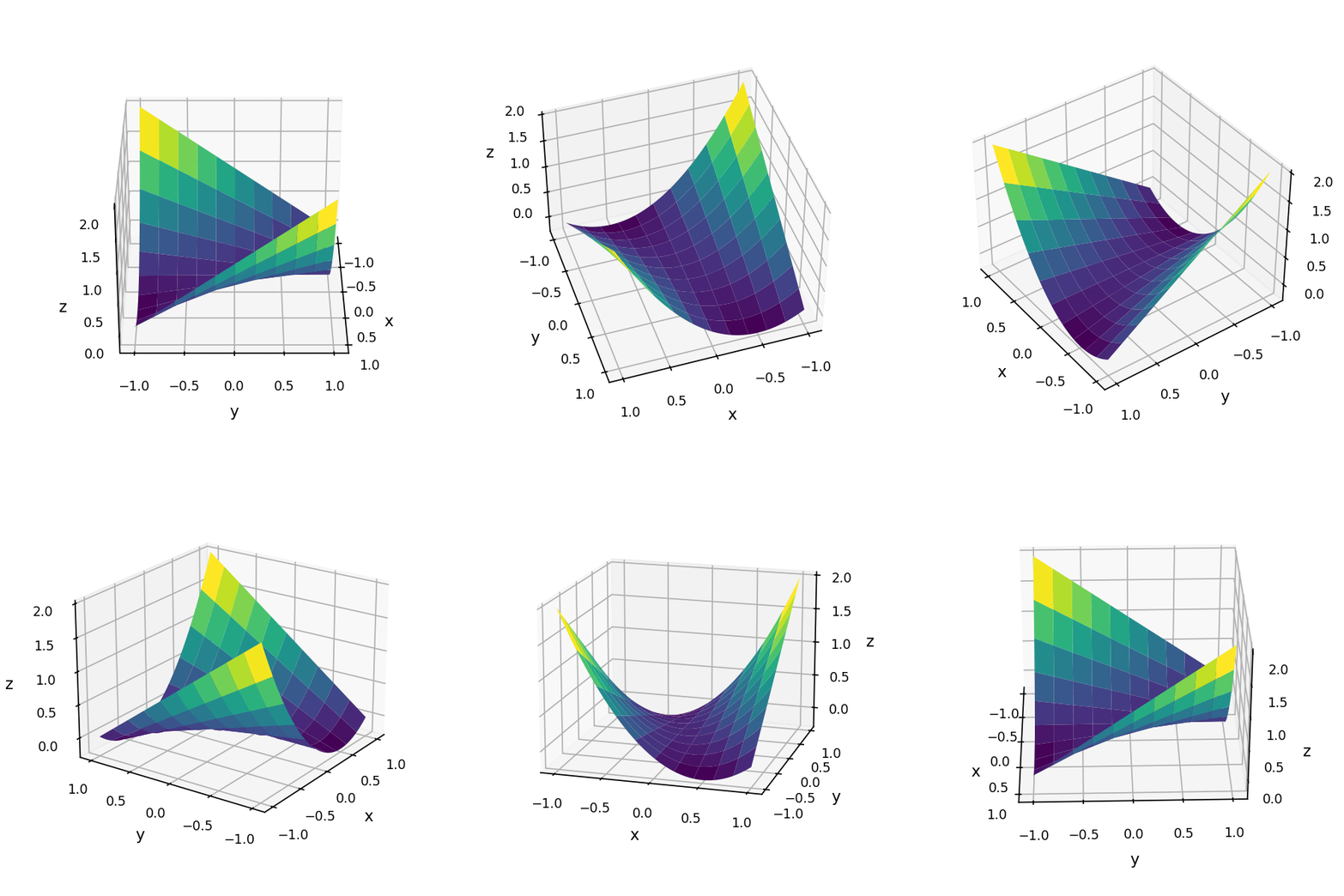
from matplotlib import animation


_ = np.linspace(-1, 1, 100)
x, y = np.meshgrid(_, _)
z = x ** 2 + x * y

fig, ax = plt.subplots(figsize=(4, 4), subplot_kw=dict(projection='3d'))
ax.plot_surface(x, y, z, cmap='viridis', rstride=10, cstride=10)
ax.tick_params(axis='both', labelsize='small')
ax.set(xlabel='x', ylabel='y', zlabel='z')
ax.view_init(elev=30, azim=0)

FPS = 30
ani_len=10

def animate(i):
    ax.view_init(elev=30+15*np.sin(2*np.pi*i / (FPS*ani_len)), azim=360*i / (FPS*ani_len))

ani = animation.FuncAnimation(fig, animate, frames=FPS*ani_len)
ani.save('../out/ani.gif', writer='ffmpeg', fps=FPS, dpi=200)

plt.show()
Jupyter Widgets
Trouble Shooting
Update matplotlib Font List
Remove C:\Users\user\.matplotlib\fontlist-***.json and restart kernel.